
Exposure
How much light reaches the image. Three things decide it: the mode, the shutter (how long the sensor looks at each frame) and the ISO (how much it amplifies the signal).
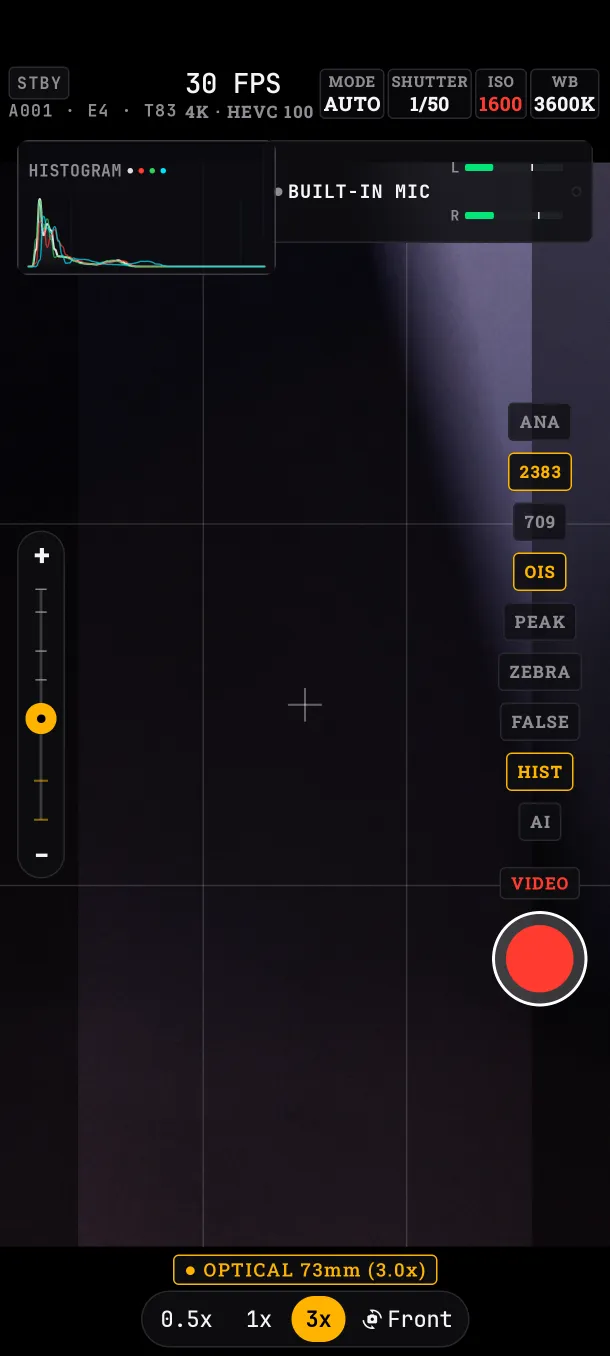
AUTO, S and M modes
Tap MODE to go from AUTO to S and from S to M.
- AUTO: the app sets shutter and ISO. In video it keeps the shutter fixed near the 180° rule (twice the frame rate: 1/48 at 24 fps; with 50 Hz anti-flicker, 1/50) and moves the ISO.
- S (shutter priority): you set the shutter, the app sets the ISO.
- M (manual): you set both.
Video and photo each keep their own mode. Moving the ISO dial switches to M; moving the shutter dial from AUTO switches to S.
Shutter
Steps from 1/24 to 1/4000 s in video; photo adds 1/4, 1/8 and 1/15 s. The ANG / SPD button shows the same steps as an angle (1/48 at 24 fps is 180°) or as a speed.
In video the shutter is never slower than one frame (1/24 at 24 fps): that way no frames are dropped.
Anti-flicker
The 50Hz / 60Hz / OFF button (video only) avoids flicker from mains-powered lights. Use your country's mains frequency: with 50Hz, AUTO uses 1/50 at 24 fps.
ISO
From the sensor's minimum up to each lens's real maximum. On the Edge 50 Pro: up to 25500 on the main lens and up to 1600 on the tele and ultra-wide. In AUTO and S the app moves the ISO; if it hits the limit (a very dark or very bright scene), the HUD's ISO turns red.
Metering, EV and AE-L
- MATRIX: meters the whole frame. CENTER: the central 50 %. SPOT: a point you move with the reticle.
- EV: compensation in 1/6 steps, so AUTO and S expose brighter or darker. In M, the same place shows the meter: how far your exposure is from the one the app considers correct.
- AE-L: freezes the exposure.
Recording in AUTO, exposure changes are smooth so they don't show.
What if…
- …I change the frame rate: if the shutter was slower than one frame, it moves to the allowed step by itself.
- …I go from AUTO to M: M starts with the ISO and shutter AUTO was using, so the image doesn't jump.